
In an increasingly interconnected world, breaking language barriers has become essential for effective communication and collaboration. While many of us are familiar with Google Translate as a tool for translating individual words and phrases, did you know that Google Translate also offers a feature that can translate entire web pages?
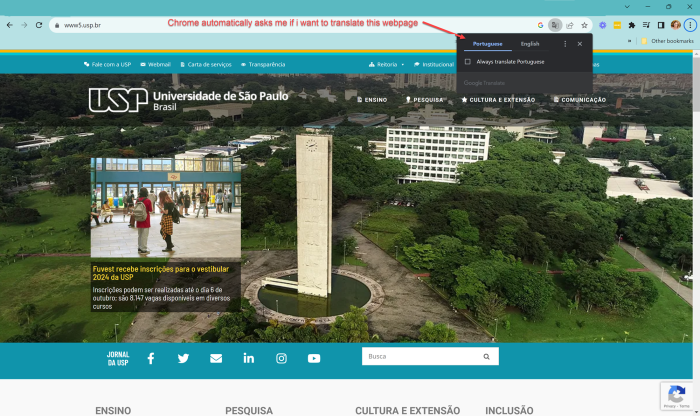
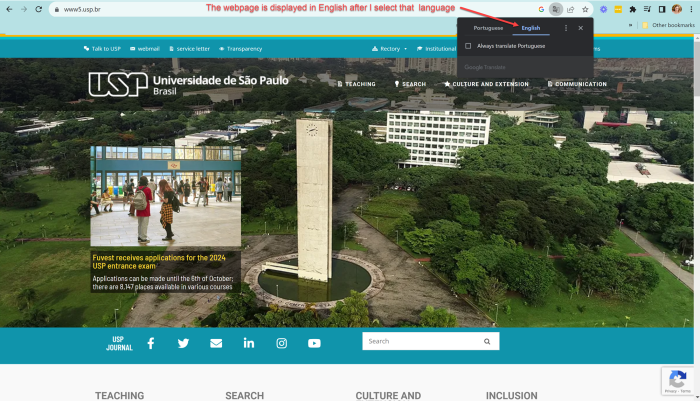
Google Translate’s webpage translation feature allows users to seamlessly convert the content of a webpage from one language to another. When you visit a webpage in a foreign language, Google Chrome’s built-in translation tool offers to translate the page for you.
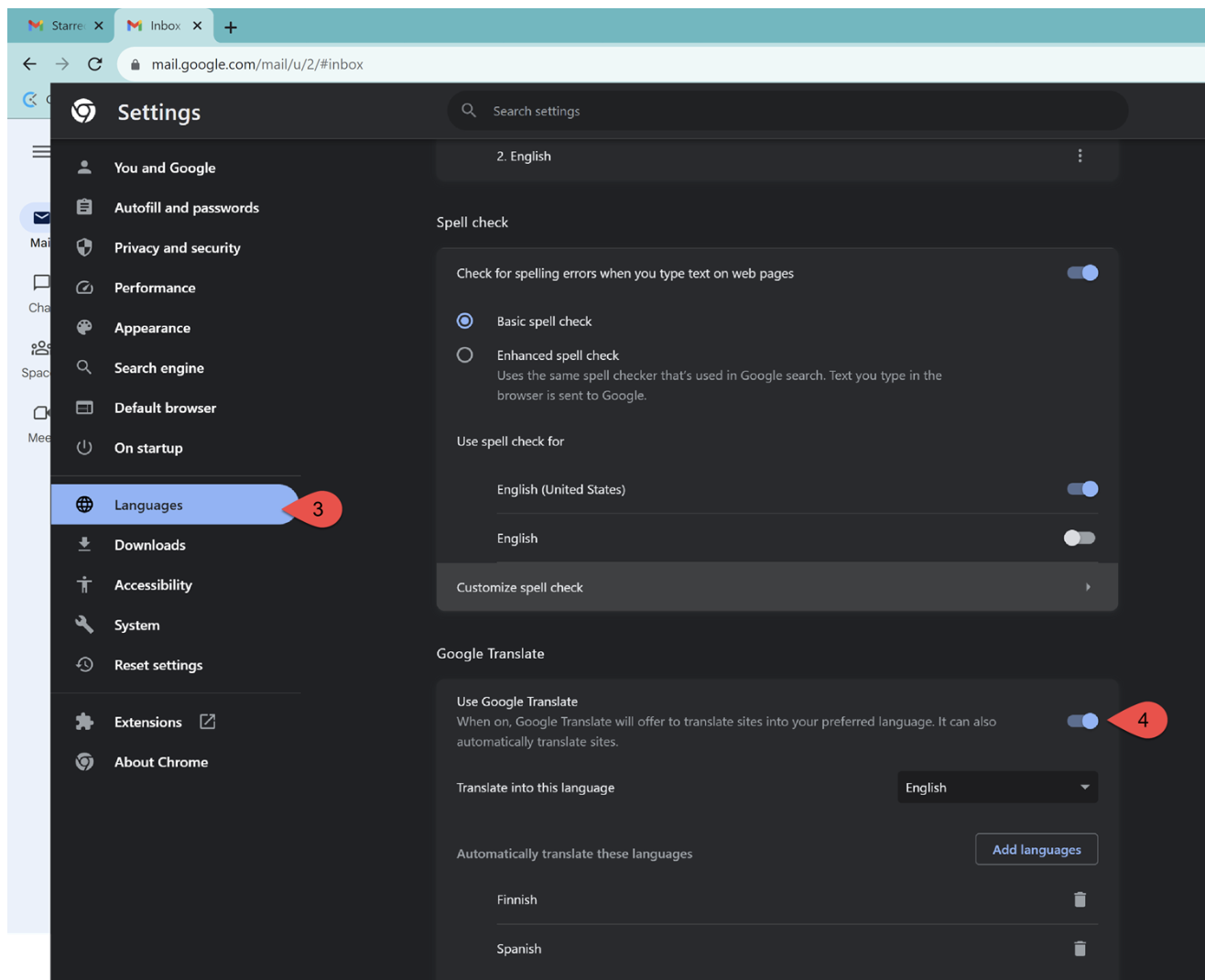
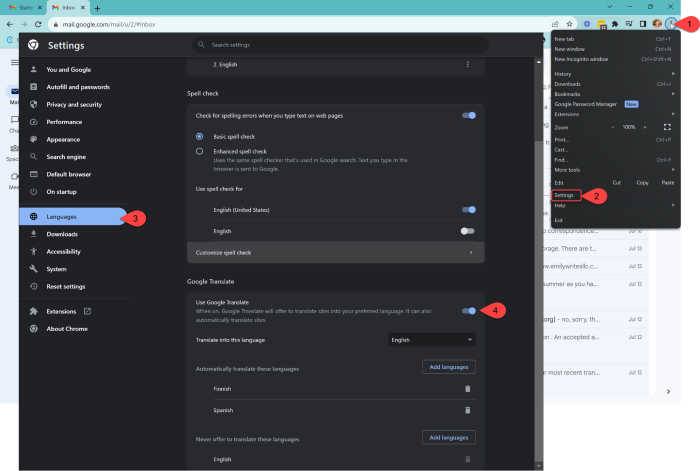
To set up Google to translate into your desired language, go to the language setting in Chrome.
1. Open the three-dot menu in the top right corner.
2. Select Settings from the menu
3. Select Language from the left-side menu
4. Set your desired languages in the Google Translate section.
Comments (0)
Leave a comment